


📣 Check out the latest features & enhancements in Q2 2023: Prioritize your accounts with Account Hub!
Hi everyone,
Our quarterly product update went out last week, giving you an overview of the new features and enhancements in development in Q2 2023.
We have heard from users that having the right insights, relationship intelligence, and buyer intent data about your target accounts helps you plan where to focus and leads you to better outcomes.
To help our users get on the right track, we are excited to bring you product updates that will help you to not only find the accounts that are most likely to result in closed deals but also to grow meaningful customer relationships.
For all our Sales Navigator users, here are the top features and enhancements you can expect:
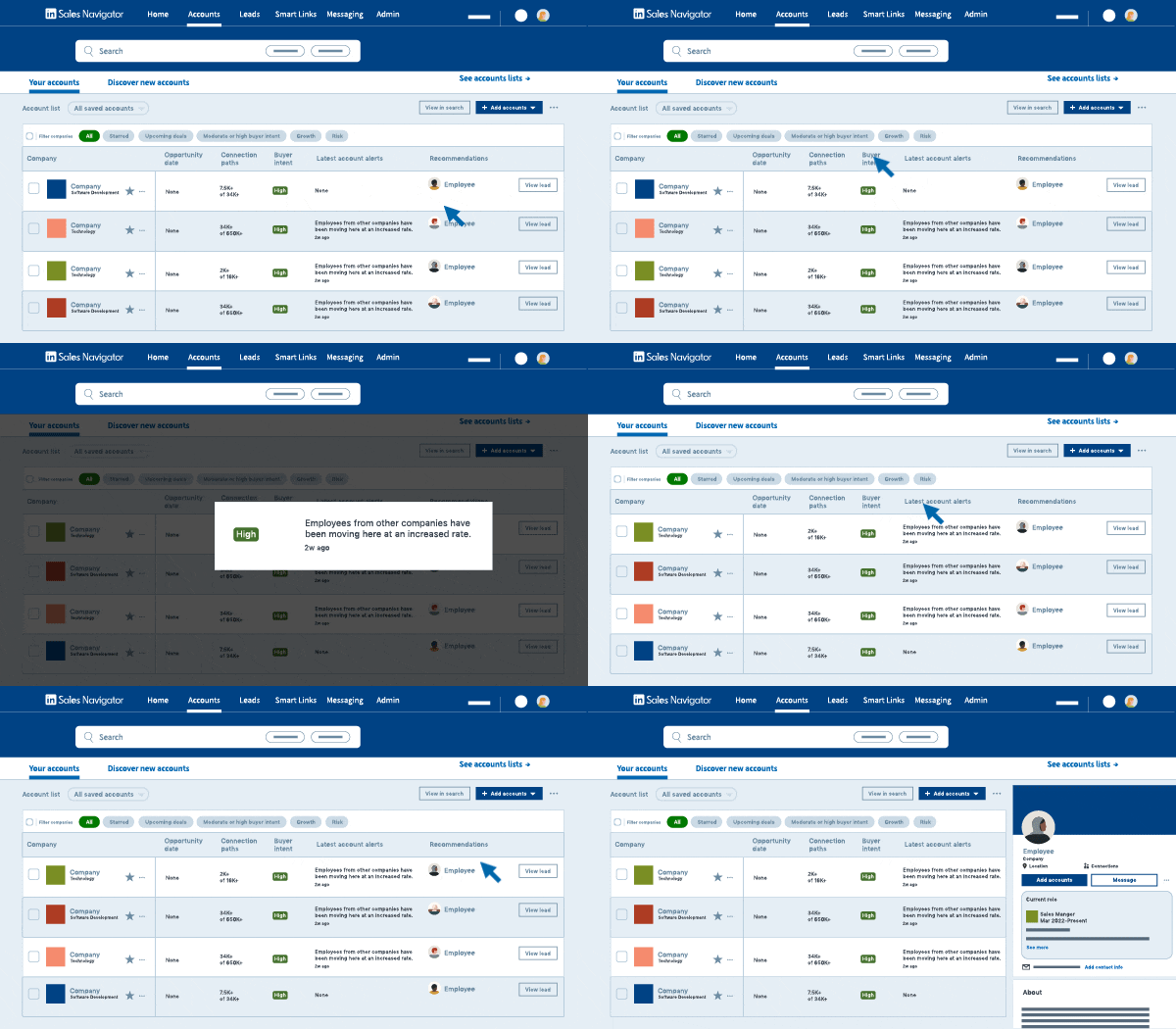
1. ⚡ Account Hub is your one-stop shop for getting the information you need to prioritize your accounts. In a single-view, you can:
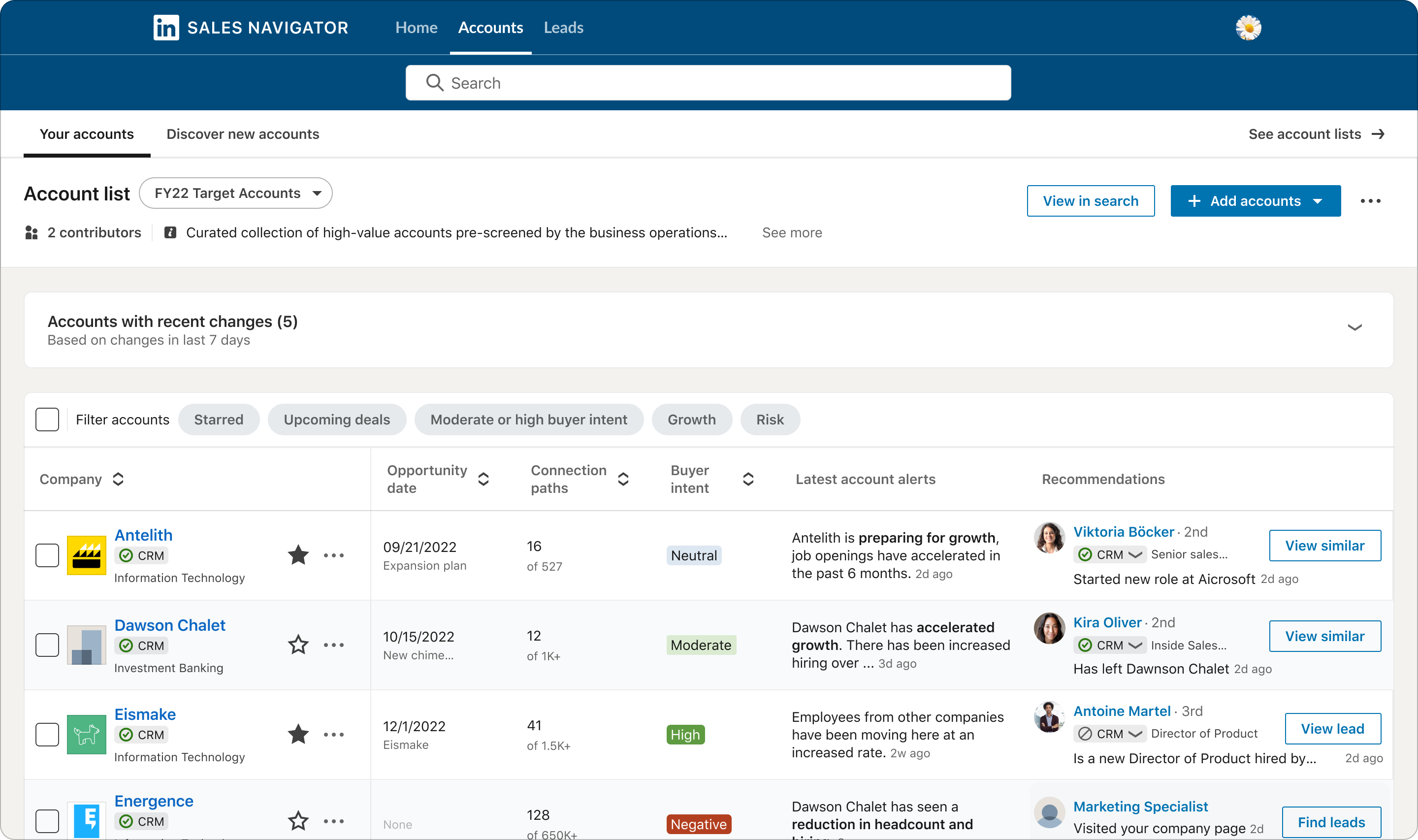
- see key economic trends (i.e. job growth) related to your accounts
- leverage common networks or relationships to find warm paths in
- personalize sales outreach from the powerful account and intent data
2. Search enhancements, including:
- Easier accessibility throughout the product on Saved Search
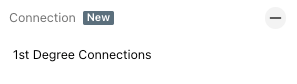
- ‘Connection’ filter in Account Search allows you to find accounts with first-degree connections already.
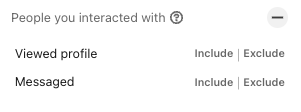
- ‘People you interacted with’ filter in Lead Search helps you to quickly identify people who you’ve visited or messaged on LinkedIn already.
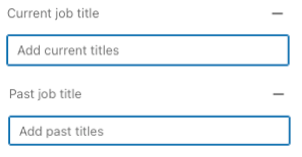
- ‘Current job title’ and ‘Past job title’ filters in Lead Search provides more flexibility on the target persona you are looking for.
3. Account Map will be moved below Relationship Explorer on the Account Page to simply the experience.
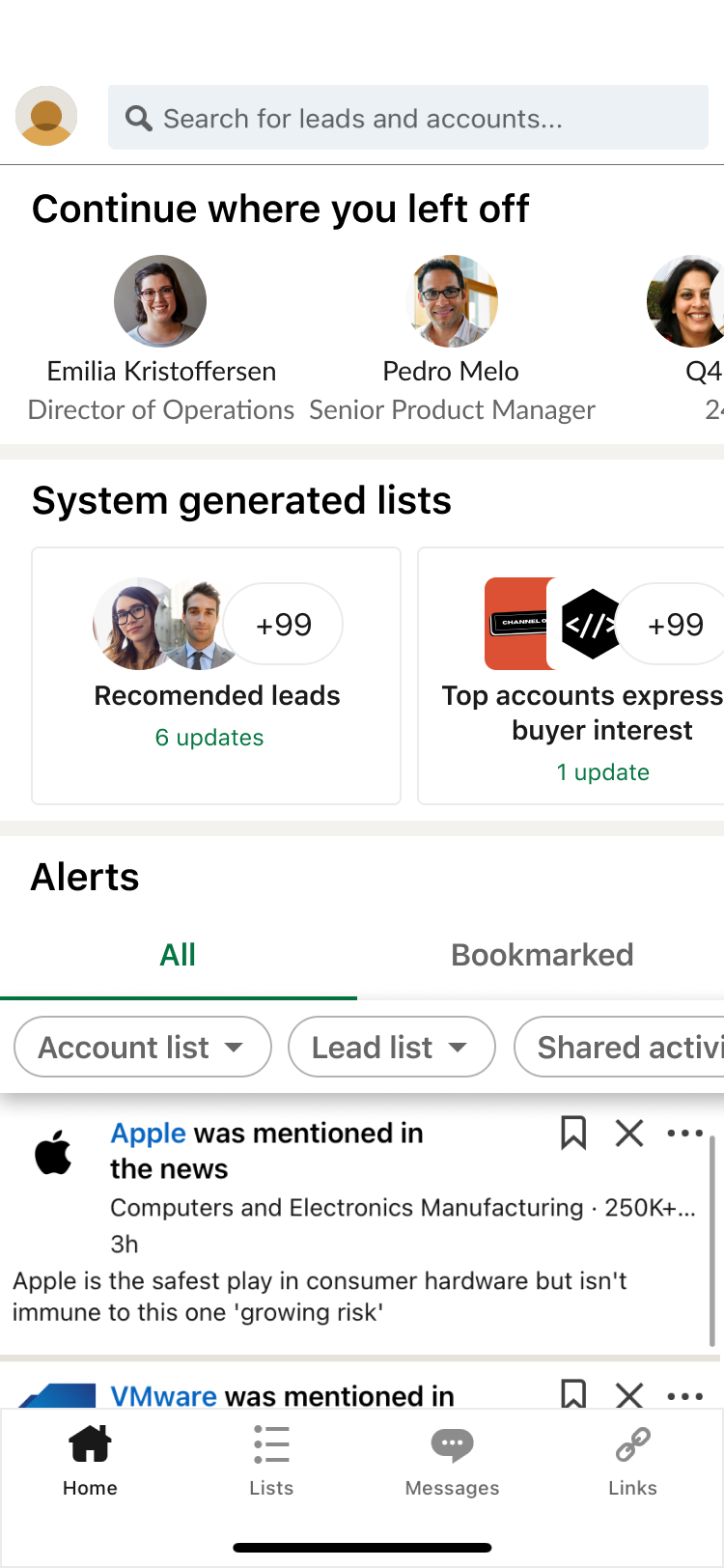
4. ⚡ On the Sales Navigator mobile app, users can now filter Alerts on the homepage by specific Account and Lead Lists.
For Advanced and Advanced Plus license holders:
1. ⚡ Product Category Intent in Account Hub shows the buyers that are likely showing interest in your company or in a similar product to what your company provides.
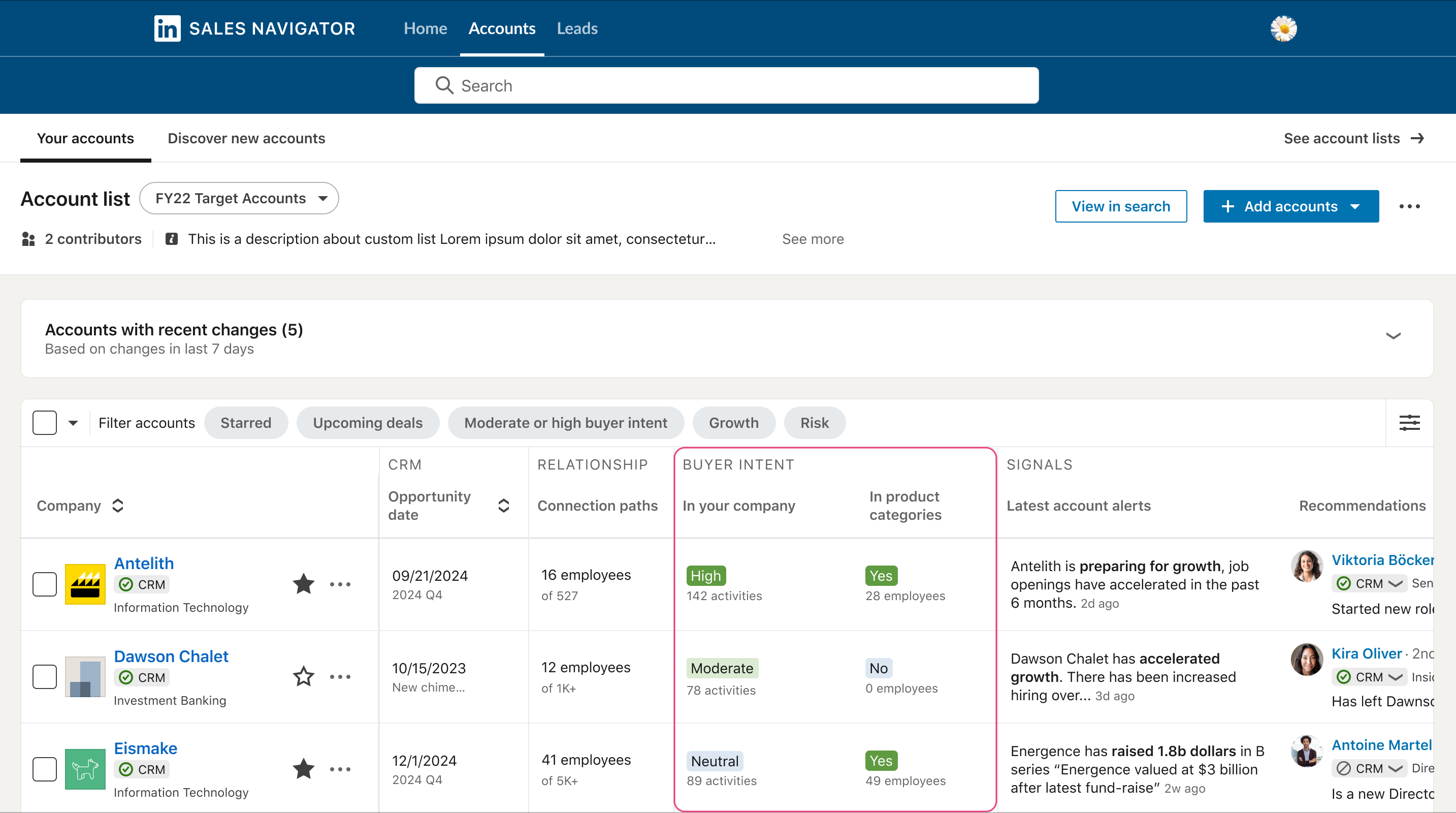
- For companies selling multiple products, this dataset will help you understand which product line on an account is likely interested in. This would be represented by accounts with high buyer intent and active product category intent.
- For those of you at growing companies, you will be able to identify warm opportunities where the buyer may be seeking a solution your company has but haven’t heard of you yet. This would be represented by accounts with low buyer intent and active product category intent.
2. ⚡ New buyer activities that indicate buyer intent:
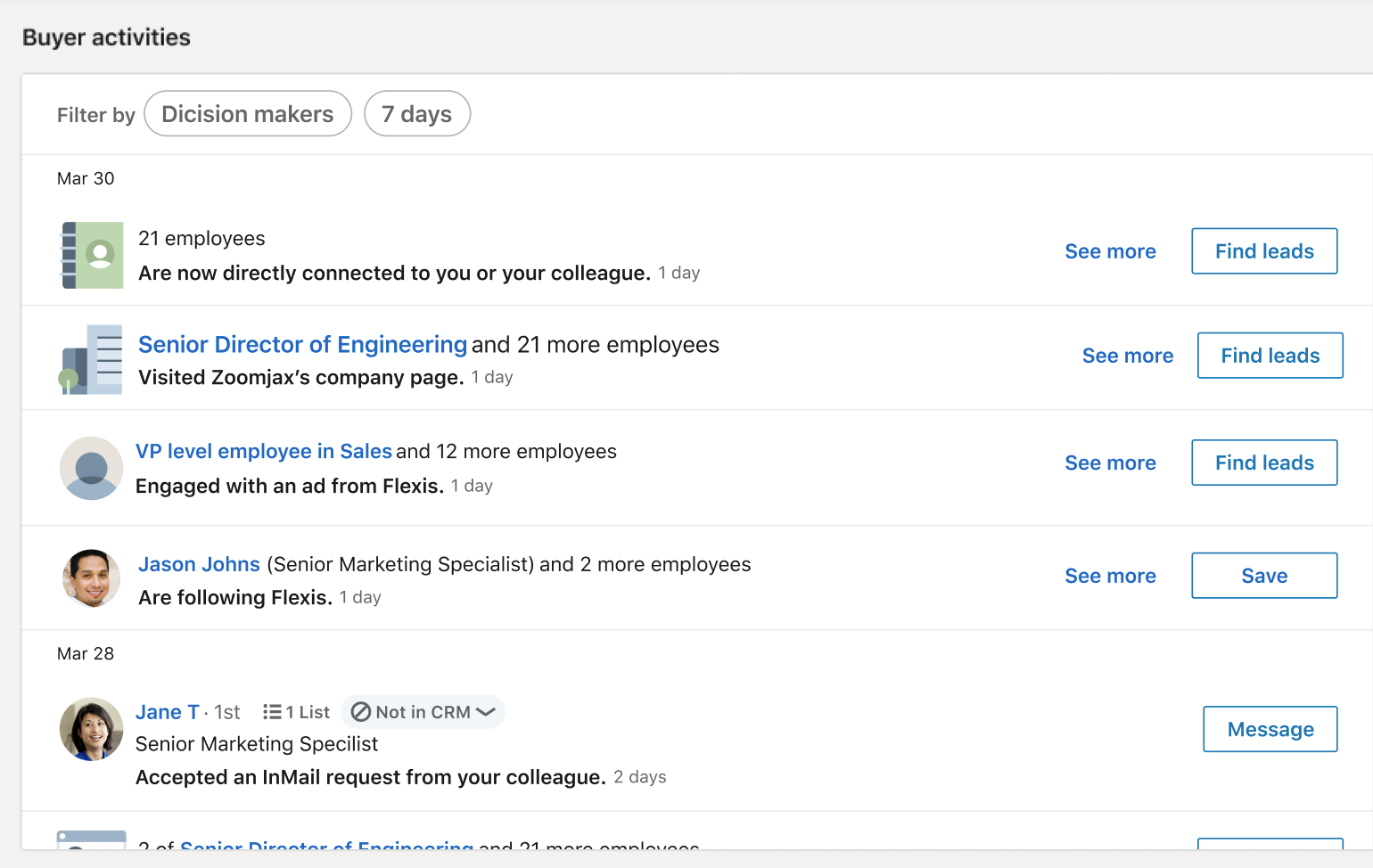
- Website visits – provide visibility of the general profile of visitors to your company website if you have the LinkedIn Insights Tag installed.
- New connections to colleagues – show you new LinkedIn connections to other users on your contract and via TeamLink Extend.
3. ⚡ The new “Buyer Intent” filter in Lead Search that allows you to search for potential buyers who have expressed high or moderate intent in the past 30 days to help you identify a warm path in.
4. The “Accounts Expressing Buyer Intent” auto-generated List will be sunsetted as Account Hub will replace this list.
For Advanced Plus license holders with CRM Sync enabled:
1. You can now manually add accounts to your “My CRM Accounts” list on Sales Navigator. It is possible that Sales Navigator doesn’t capture all your accounts in your CRM due to certain rules. This enhancement gives users the ability to manually add missing accounts that are already in your CRM to Sales Navigator, granting the manual oversight to ensure your account list is always up-to-date.
For LinkedIn Sales Insights users, this new enhancement saves users time at contract renewal:
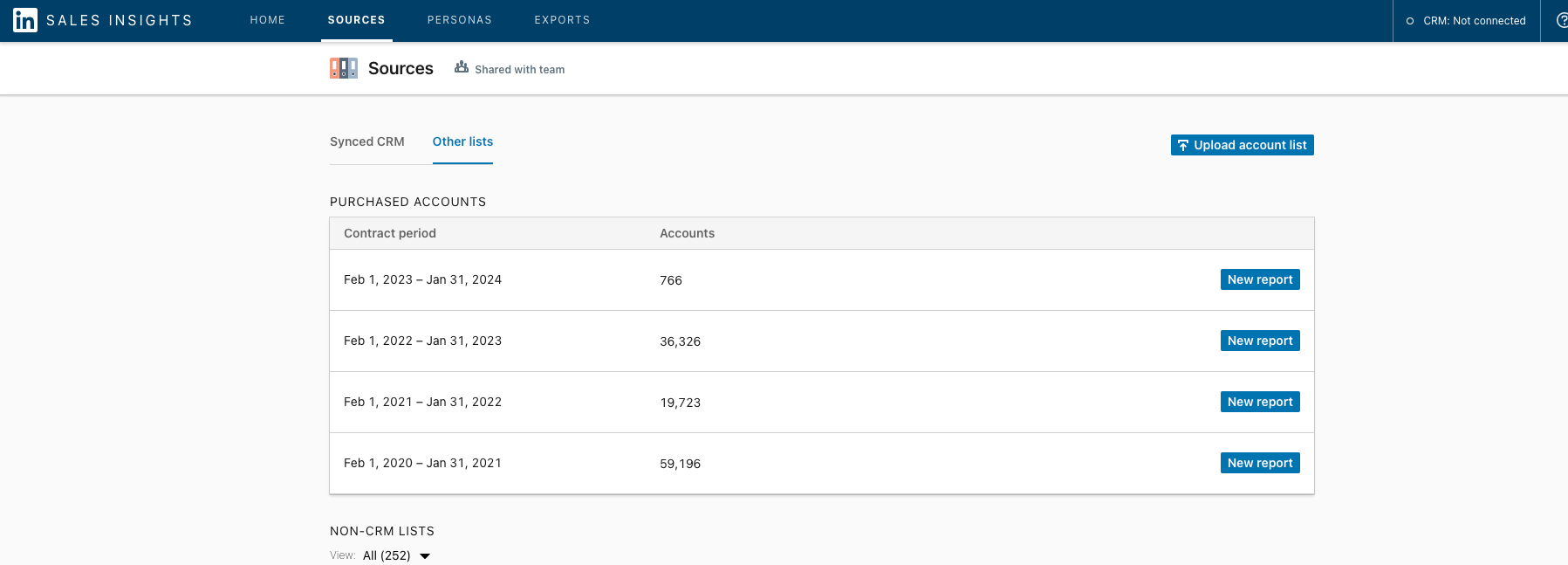
1. ⚡ Prior Year Reports allow users to select their past accounts and continue identifying opportunities for growth as well as create a new report of all previously purchased accounts. You can also choose to apply additional filters to determine which accounts you want to consume and continue enrichment for.
Finally, for more details on each of the new features and enhancements above, please visit this deck. If you have any questions or comment, please leave them below. If you have feedback related to the above features, please submit a product idea.
Disclaimer: The information in this post is confidential and proprietary to LinkedIn and may not be disclosed without the permission of LinkedIn. Please keep this information between you, your program leads, and your fellow Sales Navigator users.
Note: ⚡️ denotes a brand new Sales Navigator feature.
Thank you,
Eva C.